App Features

Everything you need
to stay in sync.

A closer look at the four features that make YachtSync the certificate app built by crew, for crew.

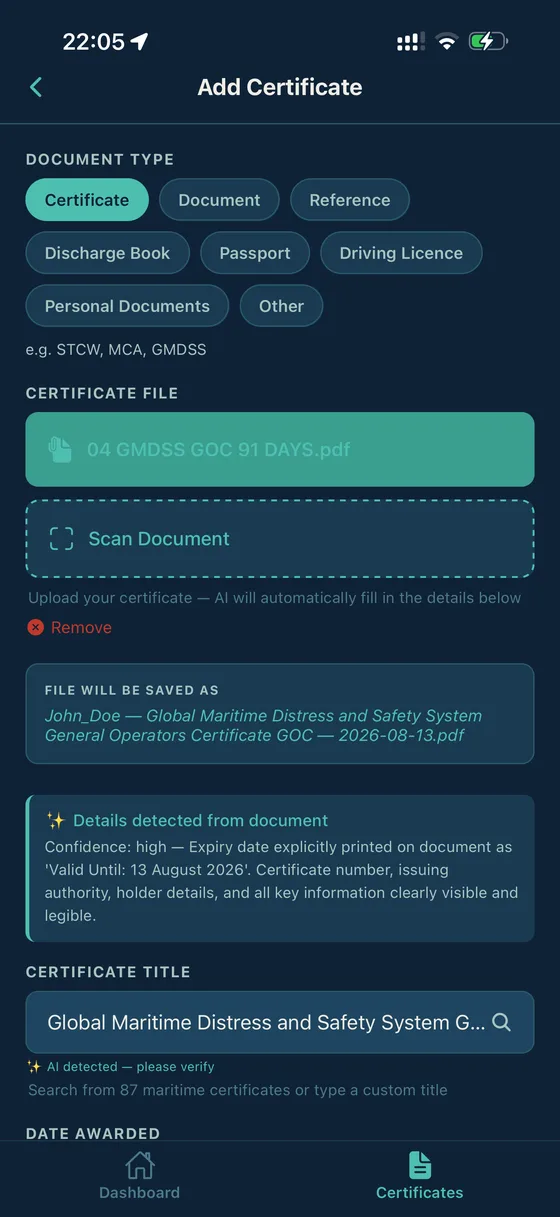
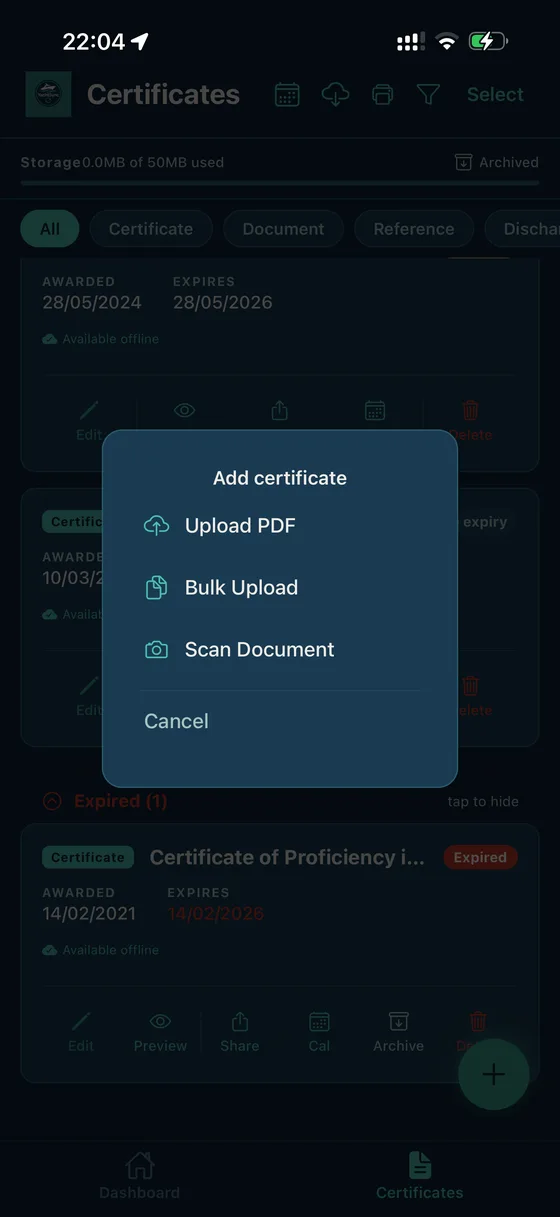
YachtSync — add certificate via scan, upload or bulk import
01 — AI Scanning

Scan once.
Filed forever.

Point your camera at any certificate, upload a PDF, or drop in a photo from your gallery. YachtSync's AI reads the document and extracts the certificate title, issue date, and expiry date — even from handwritten forms, small print, or slightly angled photos.

The AI understands maritime rules. It knows that STCW Basic Safety Training renewals fall every five years, that ENG1 medicals expire in two, that PDSD certificates don't expire at all. You don't have to tell it — it already knows.

  • Works on camera photos, PDFs, and gallery imports
  • Extracts certificate title, issue date, and expiry automatically
  • Maritime-aware: knows STCW, ENG1, MCA, and flag state rules
  • Flags low-confidence reads for your review
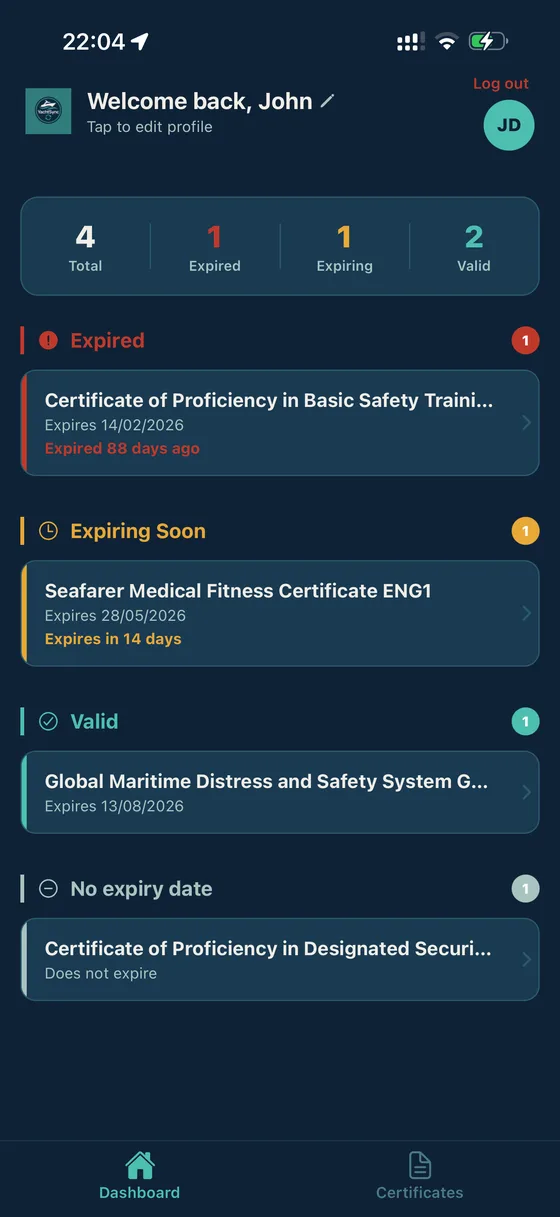
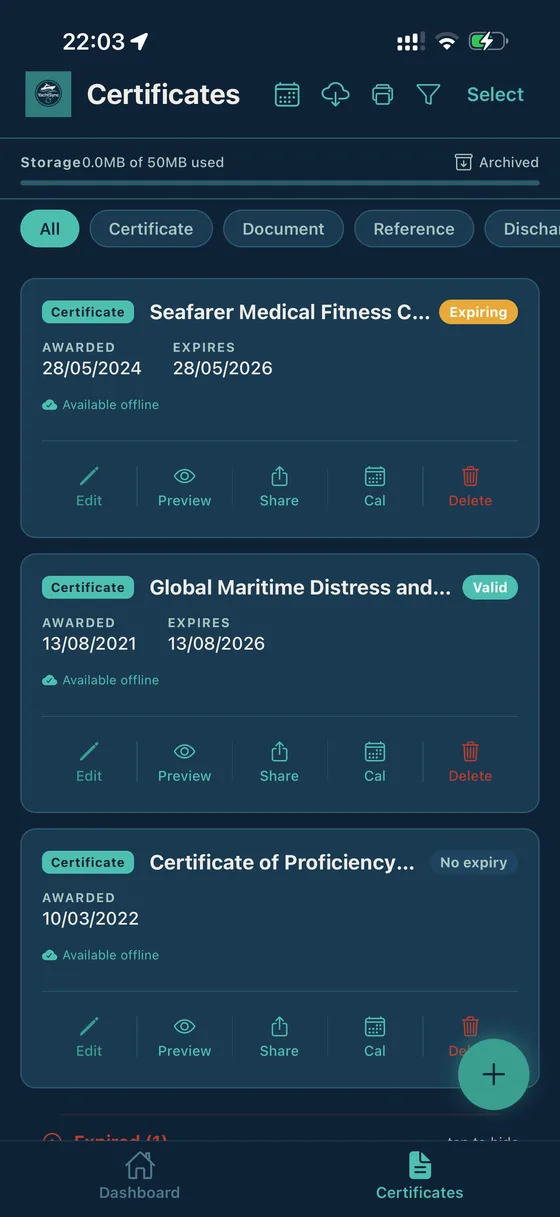
YachtSync dashboard — colour-coded certificate status
02 — Reminders

Never chased by
an expiry again.

Set your own reminder schedule — 180, 90, 60, 30, 14, 7 and 1 day before each certificate expires. Push notifications land on your phone so nothing slips through the cracks, even in the middle of a busy passage.

Sync directly to Apple Calendar, Google Calendar, or Outlook. Your renewals appear like any other appointment — with the certificate name, expiry date, and a link back into the app.

  • Configurable alerts at 180, 90, 60, 30, 14, 7 and 1 day
  • Push notifications — works even with the app closed
  • Sync to Apple, Google, or Outlook calendar
  • Colour-coded dashboard: valid, expiring soon, expired
YachtSync certificates list — share in one tap
03 — Sharing

One folder.
One tap. Sent.

Send your entire certificate portfolio — or just the ones someone asked for — in a single tap. YachtSync generates a clean, professional PDF package or a shareable link. No login required for the recipient.

Whether it's a new captain asking for your full crew file, an agent needing your STCW before a port call, or management doing an audit — you're ready in seconds, not the half hour it used to take digging through emails and WhatsApp threads.

  • Share your full portfolio or selected certificates only
  • Clean PDF package or shareable link
  • No account required for recipients
  • Always sends your most current files
YachtSync naming — auto-generated filename shown before saving
04 — Naming

Consistent naming,
automatically.

Tell YachtSync your preferred naming format once — Surname_Certificate_Expiry, or whatever convention your captain or management company expects — and every upload is renamed and dated to match, automatically.

No more "scan0047.pdf" or "IMG_3821.jpg" landing in a captain's inbox. Every file you share looks deliberate and professional, because it is.

  • Set your format once, applied to every upload
  • Any convention: Surname_Cert_Expiry, FirstLast_Type, or custom
  • Bulk rename existing files at any time
  • Professional filenames in every shared package
Join the beta

Ready to get in sync?

We're inviting crew to test YachtSync on iOS via TestFlight — with Android coming next.

Join the beta